Article · · 9 min read
Opus 5.5 and Blender on an RTX 3060: a Porsche 911 from code, a video and the token bill
An NVIDIA RTX 3060 with 12 GB of memory has joined my home lab. Before putting it to work on something serious, I wanted to check three things: how Claude Opus 5.5 in Claude Code would cope with Blender, what the exchange between the model and a 3D graphics program looks like in practice, and how many tokens it would use. The task: build as detailed a Porsche 911 as possible, render it and make a video with the camera circling the car.
I also had a reason of my own: the tool models for my tool mark simulator are made in Blender, and I want them to be visually more accurate. I wanted to know how much of that work I can hand over to Opus.
After one session I have a 992-generation model made of 186 objects, six renders in 1080p and a looping video. Opus never touched Blender's interface: everything was created from Python code that it sent to the running program. The session used about 17.6 million tokens, which at API prices comes to roughly 8.5 USD.
How Opus talks to Blender
The link is the official Blender MCP server from Blender Lab, version 1.0.3 (projects.blender.org/lab/blender_mcp). MCP (Model Context Protocol) is a standard through which an agent gets additional tools; here the tool is running code inside Blender. The project has two parts:
- a Blender add-on that opens a TCP socket on
localhost:9876and runs the Python code it receives, - an MCP server (
blender-mcp) that Claude Code starts as a separate process and that forwards requests to that socket.
Besides running code, the server provides summaries of scene objects, screenshots of the interface, a quick preview render and search in the Blender Python API documentation and the Blender manual, both bundled with the package. The last one matters in practice: Blender's API changes between versions, and the model then looks things up in the documentation for the same version instead of relying on memory. There is also an older, popular community project with a similar name, but it is a third-party integration, not one from Blender's developers.
For Blender itself I did not need any Claude Code skill, that is a packaged set of instructions for a particular kind of task. MCP and an ordinary shell were enough. A skill becomes useful only now, as a place for the pitfalls described below, so that the next session does not have to rediscover them.
Opus installed everything itself, from the command line. First the add-on, without opening the interface:
blender --command extension install-file -r user_default -e mcp-1.0.3.zip
The add-on starts the socket when Blender launches, but only if Online Access is enabled in the preferences; without it, it reports an error even though it only connects to localhost, because the add-on's authors treat any network socket as network access. Then the MCP server, installed with uv and registered in Claude Code:
uv tool install ./blender-mcp-server
claude mcp add blender -s user -- ~/.local/bin/blender-mcp
Claude Code loads new MCP servers only after a restart. To avoid interrupting the session, Opus wrote a fifteen-line Python client that speaks the same protocol as the server: it sends the socket a JSON object with a code field terminated by a null byte and reads from the reply the result dictionary that the script sets at the end. In this session all the work went through that client: Opus sent finished Python code and did not use the MCP server's tools, including the documentation search. It knew Blender's API from its own knowledge and fixed errors based on the messages Blender returned.
One warning from the project's documentation: the add-on runs any code the model sends and has no safeguards against data being deleted or sent out. Blender Lab recommends a virtual machine or a computer without sensitive data.
What Opus built
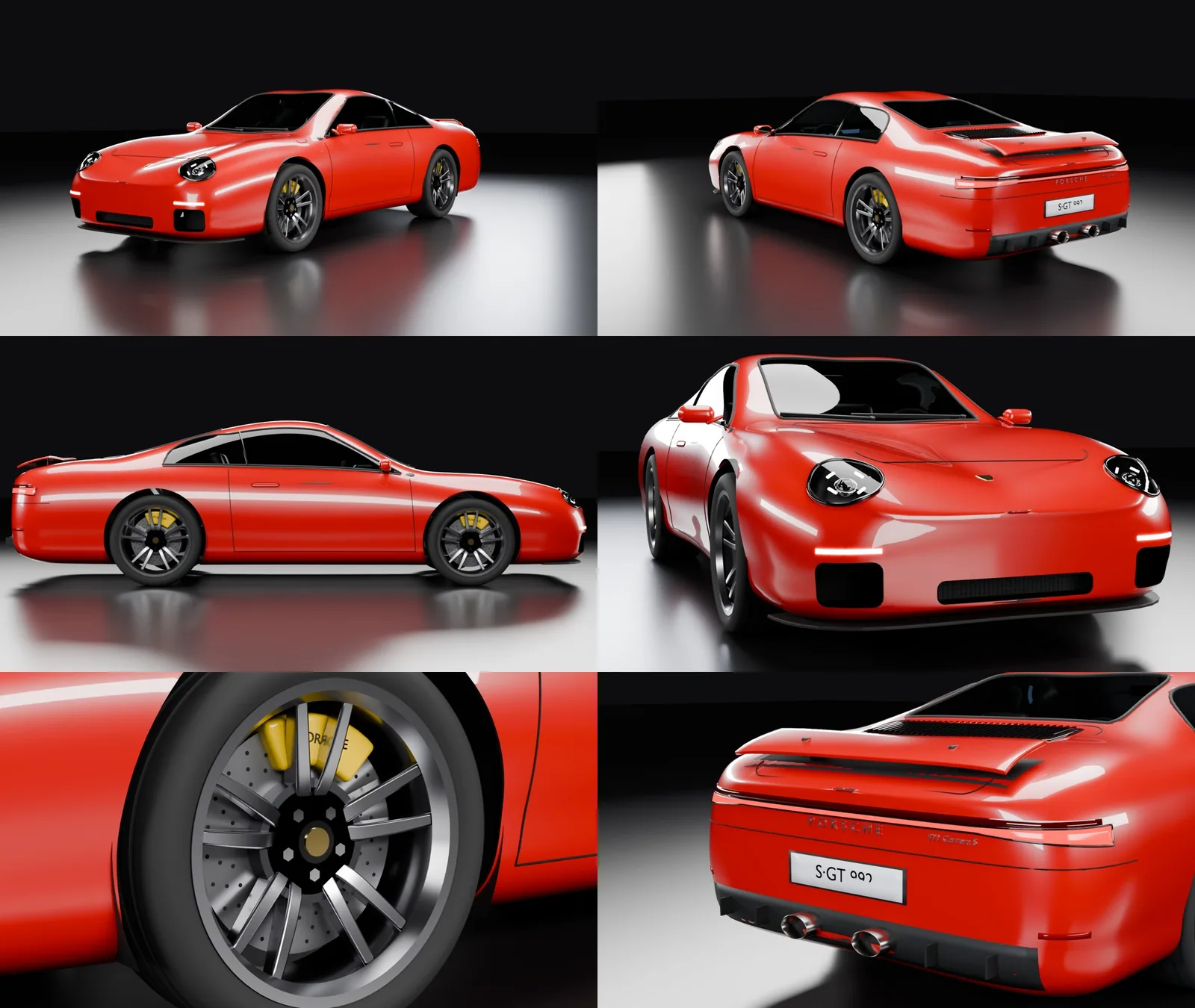
The first attempt was a simple, boxy coupé. When I asked for a very detailed Porsche, Opus changed its approach: the model is a set of scripts, not a hand-sculpted mesh. After every change the whole scene rebuilds in about 12 seconds, and the shape of the car changes by editing tables of numbers.
The body is built from cross-sections. For successive positions along the car, the tables give the half-width, the height of the roofline, the position and height of the fender crest and the window line. Every cross-section has the same number of points, so neighbouring sections join into a regular grid of quads, and a subdivision modifier smooths it into a continuous surface. The characteristic 911 shape appeared once the crests of the front fenders sat higher than the centre of the hood.
The details have no hard-coded coordinates. The script casts rays onto the smoothed surface and places objects at the hit points, aligned with the normal. This is how the windows, the gaps of the doors and lids, the headlight lenses, the rear light bar and the slats of the engine grille are made. When the body changes, the details adapt to it on their own.
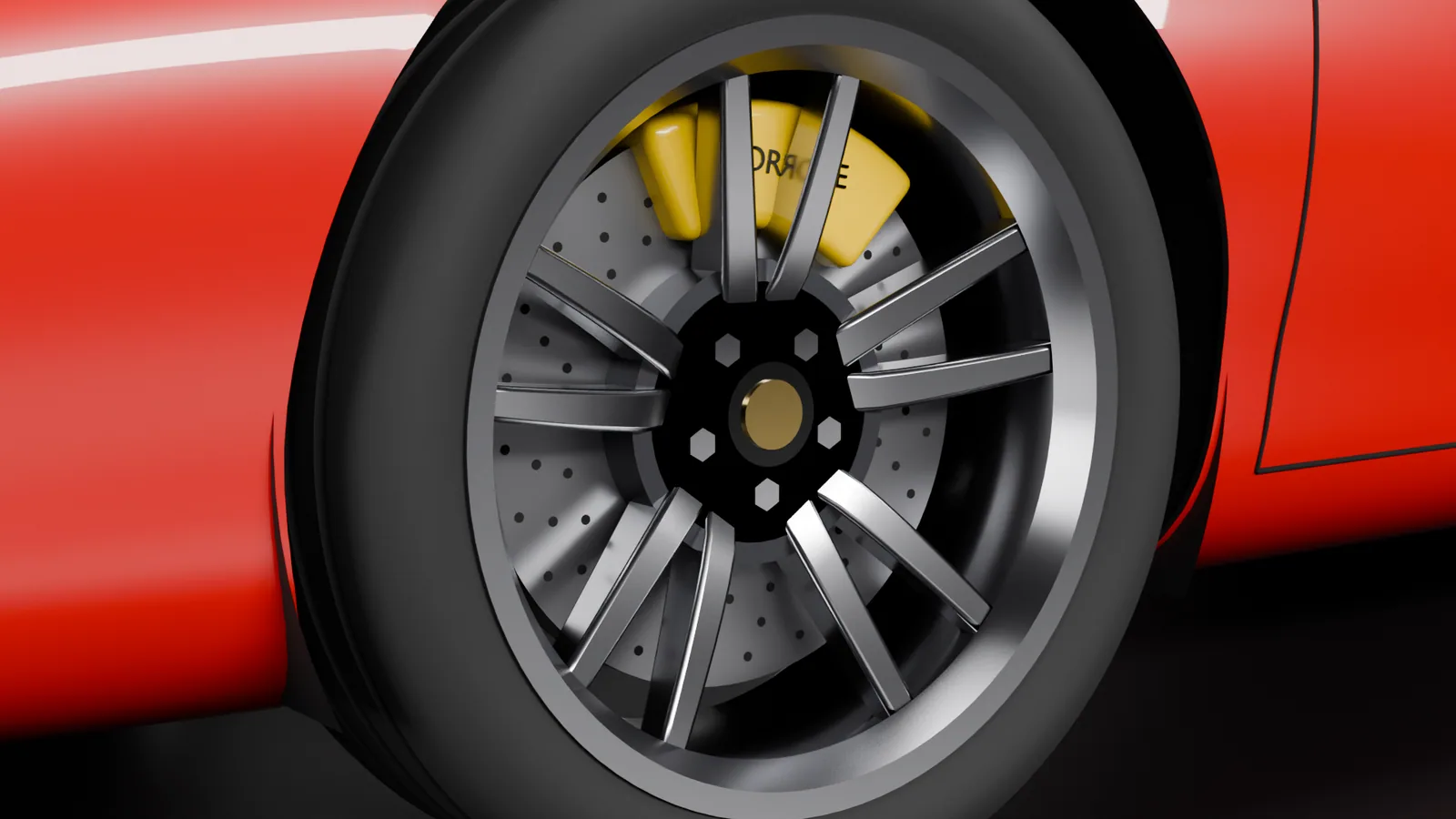
The body is a 6 mm shell, and all openings are cut by a single boolean operation with a collection of cutter objects: wheel arches, windows, air intakes and headlight sockets. Thanks to that, the seats, the dashboard with its screens and the steering wheel are visible through the glass. The wheels are built once, with a tyre with tread grooves, a rim with five twin spokes, a drilled disc and a caliper with lettering, and then placed four times as collection instances.
Opus looks at its own renders
The most interesting part of the interaction is the loop: code, render, look. After every change Blender rendered four views at half resolution in the background (64 samples, about 11 seconds per view), a script stitched them into one image, and Opus loaded it into its context as an image, judged the shape and searched for errors. Several problems could not be seen in the code; they only showed up in the image:
- A black, jagged patch on the nose. At the very tip of the nose, where the surface has to close, the fender crest still lay higher than the centre of the hood, so the last cross-section folded. The inner layer of the shell then pierced the outer one. Flattening the end of the tables and a thinner shell fixed it.
- Boxy mirrors and seats despite rounding. The bevel modifier computes the rounding width before the object is scaled. On a 1 m cube scaled down to 8 cm, a 4 cm rounding shrank to about 3 mm. The fix was to write the scale into the mesh itself.
- Headlights like frog eyes. A flat disc placed tangent to a strongly curved fender stuck out at the edges. A lens built from rays cast along the lamp's axis sits flush with the surface.
- A white cube hiding the car. After a restart Blender loaded its default startup scene with a cube.
There were five such iterations with a full preview. Without looking at the renders, each of these errors would have made it into the final result.
Rendering and video on the RTX 3060
A series of renders through the MCP socket turned out to be unstable: the second Cycles render in a row in the open Blender closed the program without a crash report. Opus moved rendering to a separate process that works on the saved file:
blender -b porsche911.blend -P render_bg.py -- final 256 100 Cam_Hero Cam_Rear
The Blender window then stays available, and a possible crash does not take the scene with it. Six stills at 1920×1080 with 256 samples and OptiX denoising took 20–27 seconds per view on the RTX 3060.
The video is a camera attached to an empty object in the middle of the scene that rotates by 360° with linear interpolation. Linear keys are necessary so that the loop does not slow down at the start and end of the rotation. 240 frames at 128 samples took about 21 minutes, 5.3 seconds per frame. The frames went to PNG files with skipping of finished ones enabled, so an interrupted render could be resumed.
There was no ffmpeg on the system, so Blender itself assembled the frames into an MP4, through the video sequence editor. In Blender 5 you first have to switch the output type to video (image_settings.media_type = "VIDEO") and only then set the FFMPEG format; in the reverse order the format is not on the list. The result: H.264, 1920×1080, 30 frames per second. Above is one full rotation (8 seconds, about 5 MB), which the browser plays in a loop.
How many tokens it used
I take the total from the session log that Claude Code writes with every model response. It covers the whole session: setting up the environment, the first coupé, the Porsche, the renders and the video. Opus responded 102 times, and the tokens break down as follows:
- 17.17 million tokens read from the cache,
- 0.25 million tokens written to the cache,
- 0.16 million output tokens,
- 212 ordinary input tokens, outside the cache.
At Claude Opus 5.5 API rates (4 USD per million input tokens, 20 USD per million output tokens, 0.20 USD for a cache read and 8 USD for a write to the one-hour cache) this comes to about 8.54 USD. Without the cache the same work would have cost about 73 USD, because every response sends the whole conversation again, together with the code, the logs and the rendered images. Rendering ran on the local card and used no tokens. This is a calculation based on API prices, not an actual bill: the session ran under a subscription.
The Porsche alone, from the request for a detailed model to six finished renders, took 28 minutes, 43 model responses and about 5.40 USD. The video took another 24 minutes, 21 of them rendering, and cost about 1.10 USD.
What follows from this
The model is not perfect, but for a single session and nothing but code it is quite impressive. It is a model inspired by the 992, not a faithful replica. The nose is too long, the front intakes are rectangles instead of the original shapes, and the number on the licence plate partly sinks into the curved plate. The visual assessment was also done by Opus itself, looking at its own renders; that was enough to catch obvious geometry errors, but it does not replace the eye of someone who knows the original.
The division of labour looked like this: I gave three instructions (install Blender with MCP, build a detailed Porsche, make a video) and corrected nothing by hand. Opus wrote the scene code, ran it, rendered a preview, looked at the result and corrected it, and the RTX 3060 rendered locally. For a concept sketch, a test scene or a product animation that is already enough. A faithful reproduction of a specific object will need technical drawings or a scan, and that is how I will approach the tool models in the simulator.